Headlines News :

Powered by Blogger.

Visitor

Showing posts with label Phone Unlocked. Show all posts

IPHONE 3GS iOS 4 to 5.1.1 Update with SHSH Blobs Successfully Updated..

IPHONE 3GS iOS 4 to 5.1.1 Update with SHSH Blobs
Successfully Updated..


for those who doesn't have they're SHSH Blobs saved. Bad Luck :(

Steps.

1. Save Fetch SHSH blobs using Tiny Umbrella

2. When u have the SHSH. Use sn0wbreeze for making a Custom Signed IPSW.


3. Choose New Bootrom if your not sure.

4. Choose iFaith Mode and Browse for the SHSH for 5.1.1


5. Click Build IPSW. and wait for it to finish creating your signed IPSW.


6. When your done making your Signed IPSW, Use iReb and Restore using iTunes Press shift + click restore and browse for the signed IPSW. 


7. After Restoring your iPhone to 5.1.1 Jailbreak and Activate iPhone Using redsn0w 12b2 or higher. click Extras, Select IPSW. u should use the Official 5.1.1 IPSW not the Signed one.


8.Click Back and Select Jailbreak and check Install Cydia and Install Ipad Baseband.


9. After Jailbreaking your iPhone, Go to your Cydia and install ultrasn0w for Unlocking and Restart your Springboard and your done.


(Finish Product) it should be like this.
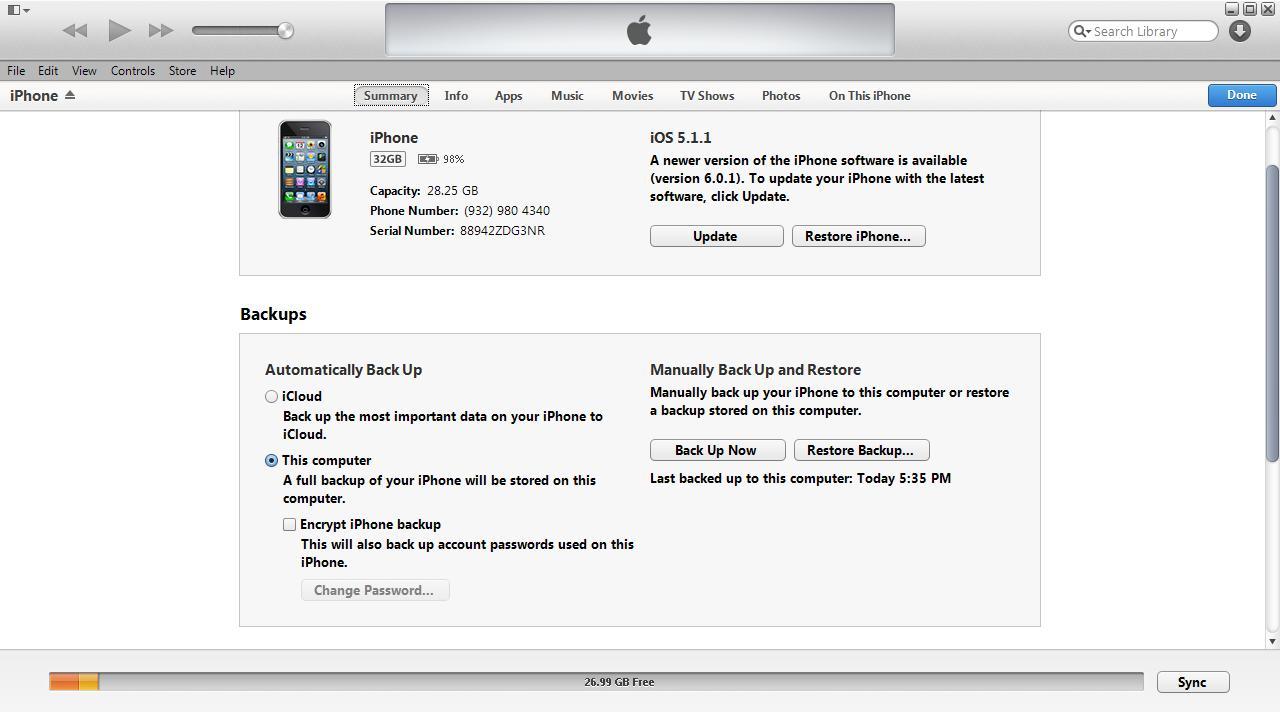


Thanks. Enjoy and Goodluck!


Samsung Galaxy S 4G t959w, Unlock Done


Samsung Galaxy S 4G t959w, Unlock Done


mga kailangan sa pag-unlock ng unit.


1) Download Odin_1.7.zip, and unzip it to someplace you can find it on your computer.

2) Download and install the drivers usb_drivers_GalaxyS_x64.zip.

3) Download this kernel stock+Voodoo-T959VKJ1.tar. (You will flash it in Odin).

4) Download this kernel sms-T959V-KJ6-v0.1.1-rc1-unsigned-update.zip and put it on your SDcard. (You will flash it in CWM recovery mode a little later).

5) z3x box & micro usb


pagnagawa mo na po ang 1 to 4

proceed na sa number 5


ito na ang resulta;)


Phone Unlocked

Post Test for Unlocked Phone Label

Robcom  accept Phone Unlocked and JailBreak.


Unlocking
Unlocking is a way of allowing your phone to be used on a different network. Please contact us if you require information or a quote. All we need to know about the phone is:-


  • Your current phone network, e.g. Orange
  • Your phone model, e.g  blackberry 9320
Why are phones locked?
Network providers use locking to ensure that you stay with them for the minimum duration of your monthly contract or Pay As You Go agreement.
If you comply with the provider's terms and the phone has not been reported a phone can usually be unlocked.
If you breach the terms of a contract, or report a phone as missing or stolen, the provider will block the phone using its unique IMEI code preventing further use. This is called a "dead phone"!
The Phone Doctor can unlock phones that have not been blocked so you can choose to change your network and tariff.
 
Support : Creating Website | Johny Template | Mas Template
Copyright © 2011. ROBCOM - All Rights Reserved
Template Created by Creating Website Published by Mas Template
Proudly powered by Blogger